
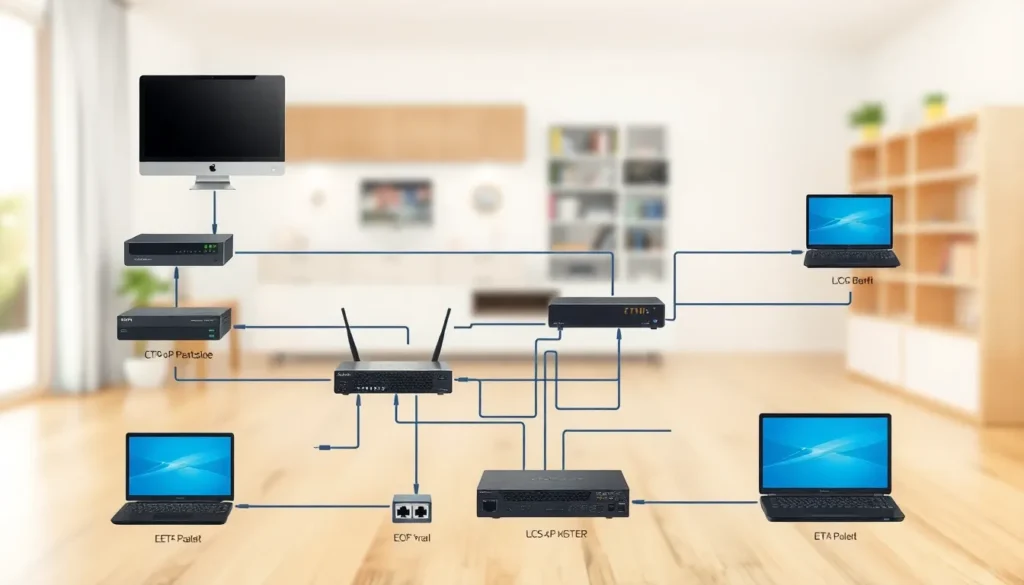
In today’s tech-savvy world, a reliable home network isn’t just a luxury; it’s a necessity. Picture this: a home where streaming, gaming, and working from home happen seamlessly without the dreaded buffering wheel. Sounds dreamy, right? Enter the wired home network diagram, your blueprint to internet bliss.
Overview of Home Networking
Home networking comprises various interconnected devices that facilitate communication and internet access. A wired network offers consistency and speed, making it preferable for many households. Devices such as routers, switches, and Ethernet cables play crucial roles in a wired home network setup.
Connecting devices through Ethernet cables ensures higher data transfer rates compared to wireless alternatives. Homeowners can streamline media streaming, online gaming, and video conferencing with stable connections. Each connection point contributes to a more reliable network experience, reducing latency and enhancing bandwidth availability.
Diagrams illustrating wired home networks help visualize critical components and their arrangements. These diagrams typically include routers, switches, access points, and end devices like computers and smart TVs. Placing the network devices strategically within the home optimizes performance and coverage.
Security in home networks remains a top priority. Implementing firewalls and network monitoring tools safeguards against unauthorized access and potential threats. Regular updates to firmware and strong password practices maintain device protection and overall network integrity.
A well-designed wired home network maximizes technological capabilities while minimizing disruptions. Structuring the network with clear layouts boosts efficiency for all connected devices. Utilizing a wired network diagram serves as an essential reference for maintaining and troubleshooting network issues effectively.
Importance of Wired Home Networks

Wired home networks offer significant advantages in modern households. These networks provide stability and speed, essential for various digital activities.
Advantages of Wired Connections
Wired connections deliver faster data transfer rates compared to wireless options. Higher bandwidth supports multiple users without lag during streaming and gaming. Reliability stands as another benefit: wired connections avoid interference from physical barriers. Security becomes more manageable, too, as encrypted data transmission prevents unauthorized access. Reduced latency enhances overall performance, making wired networks ideal for gaming and video conferencing needs. Convenience arises from the minimal maintenance required once properly set up.
Limitations of Wireless Networks
Wireless networks face several challenges that can impact performance. Interference from other electronic devices often leads to reduced speeds and reliability. Physical barriers, like walls and furniture, obstruct signals, limiting coverage areas. Bandwidth fluctuations occur with increased distance from the router, resulting in inconsistent connections. Security risks increase, as wireless networks are susceptible to unauthorized access without proper protections in place. Additionally, latency often affects real-time applications, hindering important tasks like online gaming.
Components of a Wired Home Network
A wired home network consists of essential components that work together to ensure strong and reliable connectivity. Understanding each part contributes significantly to an effective setup.
Networking Hardware
Routers serve as the central hub, directing traffic between the internet and connected devices. Switches expand the network by allowing more devices to connect through multiple Ethernet ports. Ethernet cables provide the physical connection, guiding data signals quickly and efficiently between devices. Network interface cards (NICs) are necessary for devices to link to the network using Ethernet cables. Finally, modems connect to the internet, translating signals from the service provider into a usable format for the router. Each of these components plays a critical role in maintaining a wired home network’s performance and integrity.
Devices for Network Connection
Routers serve as the backbone of a wired home network, directing data between connected devices and the internet. Switches enhance network capacity by allowing multiple devices to connect simultaneously without sacrificing speed. Ethernet cables, typically rated Cat5e or Cat6, link all devices, ensuring reliable data transmission and minimal signal loss.
Network interface cards (NICs) play a crucial role in enabling devices to communicate over the network. Computers, printers, and gaming consoles often integrate NICs to provide connectivity through Ethernet cables. Modems connect homes to the internet service provider (ISP), translating signals for the router and facilitating internet access.
Network-attached storage (NAS) devices offer centralized data storage, allowing multiple users to access files seamlessly across the network. Firewalls help secure the network by monitoring and controlling incoming and outgoing traffic, protecting against unauthorized access and potential threats.
Power over Ethernet (PoE) technology simplifies installations by supplying power to devices, such as IP cameras and access points, through Ethernet cables. In addition, wireless access points can extend network coverage when additional wired connections aren’t feasible.
It’s essential to maintain a high-quality network setup. Properly selecting and positioning these devices optimizes performance and ensures efficient connectivity throughout the home. Prioritizing device quality can significantly enhance the overall network experience, fostering seamless streaming, gaming, and remote work activities. By understanding the roles and connectivity options of these network devices, homeowners can create a robust and efficient wired home network.
Creating a Wired Home Network Diagram
Creating a wired home network diagram simplifies the setup and enhances network management. A clear layout helps visualize connections and device placements.
Key Elements to Include
Include essential components such as routers, switches, and computers in the diagram. Every device connected by Ethernet cables should be represented. Label each connection to indicate its type, such as LAN or WAN. Additionally, incorporate network-attached storage for centralized data access. Indicate where firewalls will be positioned to enhance security. Represent modems on the diagram as they connect to the internet service provider. Positioning details, such as distances between devices, provide a clearer picture of network reach. These key elements create an effective reference point for setting up and troubleshooting.
Best Practices for Diagram Layout
Keep the layout simple and organized for clarity. Start with the internet connection at the top of the diagram. Connect the modem directly to the router to show the primary network pathway. Use straight lines for physical connections to avoid confusion. Maintain consistency in icon styles for each device type, ensuring easy identification. Group similar devices together to create cohesive clusters. Consider using a color-coded system to differentiate between wired and wireless connections. Proper layout enhances understanding, making the diagram useful for both setup and future adjustments.
Common Wired Home Network Setups
Wired home networks can vary based on the size and complexity of the environment. Homeowners should consider the number of devices and their specific uses when planning their setups.
Small Home Network Example
A typical small home network includes essential components such as a router, a switch, and a few connected devices. For instance, connecting a router directly to the modem provides internet access. A switch can then connect multiple devices like a gaming console, a smart TV, and a computer using Ethernet cables. This configuration ensures reliable connections for activities such as streaming and online gaming. Simple setups require minimal cables while maximizing performance, making them ideal for homes with fewer devices.
Large Home Network Example
Larger home networks demand more sophisticated configurations and increased equipment. A dual-band router often serves as the main access point, distributing connections throughout the home. In this setup, a central switch connects to various rooms via Ethernet cables, accommodating devices like multiple computers, smart appliances, and NAS devices. Additional network switches can extend connectivity further. Incorporating Power over Ethernet technology can power devices like security cameras, reducing clutter from separate power sources. This comprehensive approach enhances network performance, support for various activities, and overall reliability.
A wired home network stands out as a reliable solution for today’s digital demands. By leveraging the advantages of speed and stability it provides, homeowners can significantly enhance their online experiences.
Utilizing a wired home network diagram not only simplifies the setup process but also aids in effective management and troubleshooting.
With the right components and strategic placement, achieving optimal performance becomes attainable. Investing time in understanding and implementing these elements ensures a robust network that meets the needs of every household, from streaming to gaming and beyond.